

Comodo PositiveSSL
A domain-validated certificate for one website, and the lowest-priced certificate in our store. The CA checks only that you control the domain.
- Validation Domain (DV)
- Covers One domain + www
SSL certificates
Put HTTPS on your website with a Comodo SSL certificate. Choose domain validation (DV), with PositiveSSL or EssentialSSL for one domain or its subdomains and PositiveSSL Multi-Domain for up to 250 domains, or Extended Validation (EV) to have your organization’s verified name in the certificate. Compare them below, then order in our client area.
Certificates
Seven certificates, from one domain to many. They differ in the names they cover and in what the certificate authority (CA) checks before it issues them. Each card links to its order page in our client area.
A domain-validated certificate for one website, and the lowest-priced certificate in our store. The CA checks only that you control the domain.
Also a domain-validated certificate for one website, checked the same way as PositiveSSL. Choose it if you already use EssentialSSL and want to keep it.
Extended Validation for organizations: the CA verifies your organization before it issues the certificate, and the certificate names it. Choose it when a partner or policy asks for EV.
One certificate for your domain and the subdomains one level below it, such as www.example.com and shop.example.com, instead of a certificate for each.
The same coverage as PositiveSSL Wildcard (your domain and the subdomains one level below it), under the EssentialSSL name. Choose it if you already use EssentialSSL and want to keep it.
Several different domains, such as example.com, example.net and example.org, in one certificate, so a server that runs several sites has just one to manage.
Several domains plus wildcard names, such as *.example.com and *.example.net, in one certificate. For setups that would otherwise need a wildcard certificate for each domain.
You may not need a paid certificate at all. Ask our team before you order.
Compare
Start with the names your visitors type: one domain, its subdomains or several domains. Then choose DV, or EV if your organization’s verified name must be in the certificate.
| Certificate | Validation | Covers | Good for |
|---|---|---|---|
| Comodo PositiveSSL | Domain (DV) | One domain, with and without www | One website |
| Essential SSL Certificate (DV) | Domain (DV) | One domain, with and without www | One website, if you use EssentialSSL |
| Comodo EV SSL | Extended (EV) | One domain, with and without www | An organization whose verified name must be in the certificate |
| Comodo PositiveSSL Wildcard | Domain (DV) | One domain and its subdomains, one level | Several subdomains of one domain |
| EssentialSSL Wildcard (DV) | Domain (DV) | One domain and its subdomains, one level | Several subdomains, if you use EssentialSSL |
| Comodo PositiveSSL Multi-Domain | Domain (DV) | 3 domains included, up to 250 | Several sites on different domains |
| Comodo PositiveSSL Multi-Domain Wildcard | Domain (DV) | Several domains and their subdomains | Several domains, each with subdomains |
Validation
Before it issues a certificate, the certificate authority checks the request. The CA/Browser Forum sets how much is checked for each type: in its Baseline Requirements, which every publicly trusted SSL/TLS certificate follows, and, for EV, in its EV Guidelines. Every type encrypts the connection the same way: what differs is what the certificate says about who runs the site.
Our guide What is an SSL certificate? explains the types in more detail.
The CA checks only that you control the domain: with a file on your website, a DNS record or an email to an address at the domain. The certificate names no organization. Six of our seven certificates are DV.
The certificate authority also checks that your organization exists and puts its verified name in the certificate. We don’t sell OV certificates: EV includes the same organization checks and more.
The most thorough check, under the CA/Browser Forum’s EV Guidelines: the CA confirms your organization’s legal name, location and control of the domain, and a person reviews the application. Browsers no longer show a green address bar for EV; the verified name is in the certificate details.
How it works
What happens between your order and a working HTTPS site.
Pick the certificate that covers every name your visitors use and order it in our client area. For a multi-domain certificate, list the domains first; for EV, have your organization’s registration details at hand.
On the server where the certificate will run, create a private key and a certificate signing request (CSR) with your domain name. The CA receives the CSR; the private key stays on your server, and you never send it to anyone. On our web hosting, SSL certificates are managed in cPanel.
The CA checks each name in one of three main ways: a file it gives you, published on your website; a DNS record (CNAME or TXT); or an email to admin@, administrator@, webmaster@, hostmaster@ or postmaster@ at your domain. Wildcard names can’t use the file method. EV orders also go through the CA’s organization checks.
The issued certificate goes on the server that holds the private key, together with its intermediate certificates, which link it to a root that browsers trust.
Open the site over HTTPS and check that the certificate lists every name your visitors use, and its expiry date, as our SSL certificate guide shows.
A certificate issued since March 15, 2026 lasts at most 200 days, and the maximum falls to 100 days on March 15, 2027. Note the expiry date and replace the certificate before then. A reissue replaces a certificate before it expires, for example when the private key or the names change.
Free or paid
Choose by what you need, not by strength of encryption: free and paid DV certificates are checked the same way, by domain control, and encrypt the connection the same way.
Both of our offshore web hosting plans include free SSL certificates, which you manage in cPanel with your files, email and databases. On a VPS or dedicated server, you can install free Let’s Encrypt certificates yourself with an ACME client such as Certbot, which also renews them. Let’s Encrypt issues DV certificates only.
A paid certificate fits when you need Extended Validation, which Let’s Encrypt doesn’t offer; when a server, appliance or platform can’t run an ACME client to renew free certificates; or when a partner or policy asks for a certificate from a commercial certificate authority.
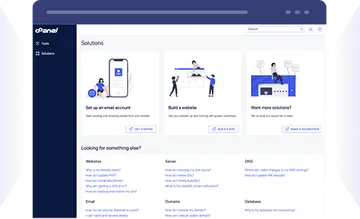
cPanel hosting on SSD storage with free SSL, remote daily backups and a one-click app installer.
KVM virtual servers with SSD storage, full root access and a dedicated IPv4 address.
A physical server that is yours alone, with full root access and a 1 Gbps unmetered or faster port.
FAQ
Answers about Comodo certificates, coverage, validation, lifetimes and payment.
Our team is available 24/7/365.
Contact our teamCount the names your visitors use. For one domain, choose PositiveSSL or EssentialSSL; for subdomains of one domain, such as shop.example.com and mail.example.com, a wildcard; for several different domains, Multi-Domain, or Multi-Domain Wildcard if they have subdomains too. Choose EV only if your organization’s verified name must be in the certificate.
Yes. When you order one of our single-domain certificates for example.com, the certificate authority also adds www.example.com. If you prove control with the file method, the file must load on both names: if the www name fails the check, the certificate is issued without it.
Every subdomain one level down: *.example.com covers www.example.com and shop.example.com, and PositiveSSL Wildcard and EssentialSSL Wildcard also cover example.com itself. A name two levels down, such as api.shop.example.com, needs its own entry, either that name or *.shop.example.com, which a Multi-Domain Wildcard certificate can hold next to *.example.com.
At most 200 days, for a certificate issued since March 15, 2026. Under the CA/Browser Forum’s Baseline Requirements, the maximum drops to 100 days on March 15, 2027 and to 47 days on March 15, 2029. Our guide explains how certificate lifetimes are changing.
No. Free and paid certificates encrypt the connection the same way, and a paid DV certificate is checked the same way as a free one. Pay for a certificate when you need EV, or when free certificates don’t fit your setup; our web hosting plans include free SSL.
No. Our store has six DV certificates and one EV certificate, Comodo EV SSL, but no OV certificates and no multi-domain EV certificate. If you’re not sure which fits, contact our team before you order.
Because Comodo CA is now called Sectigo. It announced the new name on November 1, 2018, and it still sells certificates under the Comodo and PositiveSSL names. When you open a certificate in your browser, its issuer is shown under the current name, Sectigo. Certificates issued under the Comodo name keep working until they expire.
Open a support ticket: technical support is by ticket, 24/7/365, with a first reply within 1 hour. Live chat is for sales and billing questions.
You pay for a certificate the same way as for our other services: by card, PayPal, bank transfer, or more than 50 cryptocurrencies, including Bitcoin and Monero. Within 48 hours of your order you can cancel and get a refund. Some payments are never refunded: crypto payments, by their nature, and payments for domains, control-panel licenses or account credit (Add Funds). After 48 hours, you can cancel at any billing cycle, at least 4 days before it renews, in the client area. Sections 3.3 and 7.3 of our Terms of Service explain both rules.