
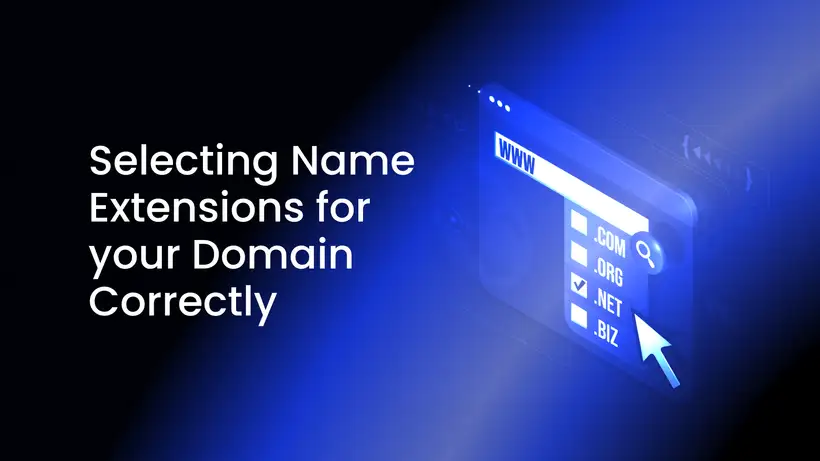
A domain extension is the last part of a domain name: the .com in example.com. It tells visitors something about your site, it decides which registry's rules apply to your name, and in some cases it tells Google which country the site is for.
This guide explains what domain extensions are, the main types, what they do and don't change for search, the registry rules to check, and how to choose the right one.
What is a domain extension?
A domain extension, or top-level domain (TLD), is everything after the last dot in a domain name: .com in example.com, .nl in example.nl. The part before it is the name you choose.
Each extension is run by a registry, which keeps the list of registered names and sets the rules and prices for its extension. You usually register through a registrar or a hosting provider rather than with the registry itself.
There are more than 1,400 extensions: the list of top-level domains kept by IANA, which coordinates the internet's root zone, held 1,436 on November 3, 2026. You can't simply create one for your website. New generic extensions come only from ICANN's New gTLD Program, in which organizations, brands among them, apply to run a registry. Its latest application window ran from April 30 to August 12, 2026, and ICANN received 1,615 applications, as it announced on October 7, 2026.
The main types of domain extensions
Generic extensions (gTLDs)
Generic top-level domains aren't tied to a country. The best known are .com, .net and .org: their names stand for "commercial", "network" and "organization", but anyone can register them today, for any kind of site. .info and .biz are older generic extensions too.
Newer generic extensions
More than a thousand newer generic extensions now exist: words such as .online, .shop and .xyz, city names such as .london, and brand names that companies use for their own sites. Most are open to anyone, though some registries set conditions.
Country-code extensions (ccTLDs)
Country-code top-level domains have two letters and belong to a country or territory: .nl for the Netherlands, .de for Germany, .us for the United States. .eu is the country-code extension of the European Union. Each has its own registry and rules, and some are open only to people or companies with a link to that country.
Country codes used as generic extensions
Some country codes are popular far beyond their country, because their letters read like a word or an abbreviation: .co (Colombia), .cc (Cocos (Keeling) Islands), .io (British Indian Ocean Territory), .me (Montenegro) and .tv (Tuvalu). Google treats these as generic extensions, as the next section explains.
Do domain extensions affect SEO?
Less than many people think. This is what Google's documentation says:
- New generic extensions are treated like .com. Google's systems treat new gTLDs like other gTLDs, such as .com and .org, and keywords in a TLD give no advantage or disadvantage in search. So .com has no ranking advantage of its own over .online or .xyz.
- A country code points to one country. Google calls a ccTLD a strong signal that a site is meant for that country. That helps if you serve one country, and limits you if you want to reach several.
- Some country codes count as generic. Google treats these ccTLDs as gTLDs, because people often see them as generic: .ad, .ai, .as, .bz, .cc, .cd, .co, .dj, .fm, .io, .la, .me, .ms, .nu, .sc, .sr, .su, .tv, .tk and .ws. Google notes the list may change.
- Regional and city extensions count as generic too. Google generally treats .eu and .asia like .com or .org, and has said it treats city extensions such as .london as generic as well.
- Server location is not decisive. Google may use it as a signal of a site's audience, but not a definitive one, because many sites use content delivery networks or are hosted in another country.
What can still matter is people. Visitors may remember a well-known extension more easily, or click a local country code more readily. Those are human reactions, not ranking rules, and they vary by market.
Registry rules to check before you register
Who may register
Some country-code registries accept only people or organizations with a link to their country or region. A .eu domain, for example, is open to citizens of an EU country, Iceland, Liechtenstein or Norway wherever they live, to residents of those countries, and to companies and organizations established there. A .us domain must meet the registry's "nexus" requirements for a connection to the United States. As Google's documentation puts it, some countries restrict who can use their ccTLD, so do your research first.
Privacy of your contact details
Whether your contact details appear in public lookups, often still called WHOIS, depends on the extension:
- Generic extensions: ICANN's Registration Data Policy, in force since August 21, 2025, requires registries and registrars to hide personal data from public lookups where the applicable laws require it, and allows it in some other cases. Since January 28, 2025, RDAP has replaced WHOIS as the official source of this data.
- Country codes: each registry sets its own rules. The .us registry, for example, doesn't allow privacy or proxy services that keep the registrant's real data from the registry and its public records.
Where the extension allows it, a privacy or ID protection service keeps your name, address and email out of public lookups. It doesn't make you anonymous: your registrar still has your details.
Renewal price
The registry sets the wholesale price for its extension, and each registrar sets its own price on top; the first year is sometimes cheaper than the renewals that follow. Check the renewal price before you build a brand on the name.
How to choose the right domain extension
- Start with .com if the name you want is available and your audience is international. It is the extension most people know.
- Choose your country's code if you serve one country, for example .nl for customers in the Netherlands, after checking its eligibility rules.
- Consider a newer generic extension if it fits your brand or the .com is taken. It carries no search penalty and no bonus.
- Check privacy and eligibility for the extension before you commit to it.
- Keep the whole name short and easy to say, spell and type. It is often your email address too.
- Choose for the long term. Google notes that domain changes take time to be processed in Search, and that people expect email addresses to keep working, so it advises choosing a domain that fits your long-term needs.
The same domain name with a different extension
Each extension is a separate domain. If you own example.com, someone else can still register example.net or example.co, unless you register them first. To protect your name, register it in the extensions that matter most to you, such as .com and your country code, and redirect the extra domains to your main site with a permanent (301) redirect.
Before you register, also check that the name doesn't use another company's brand: dispute procedures let brand owners challenge such registrations.
Register your domain with LyraHosting
With our offshore domain registration, you choose from more than 50 TLDs: search for a name to see which extensions are available right now. Where the extension supports it, ID protection keeps your name, address and email out of public WHOIS lookups, free of charge.
Private customers register without ID, and businesses complete a KYB check. You can pay with more than 50 cryptocurrencies, including Bitcoin and Monero, or with PayPal or a card. Your domains sit in the same client area as your hosting, with DNS, automatic renewal and a transfer lock, and you can point them to our offshore web hosting, a VPS or a dedicated server.