
An offshore storage VPS is a virtual private server built for large amounts of disk space rather than raw speed, in a data center outside your home country. It gives you a private, off-site place for backups, archives and your own offshore cloud storage, for a fixed monthly price.
This article covers its six main benefits, what people use one for, the limits to know about, and a simple backup plan to start with. For a side-by-side look at cloud storage services and a storage VPS, read our guide to data storage, from storage VPS to cloud.
Six benefits of an offshore storage VPS
1. A copy away from your office and your main host
A backup kept on the same server or in the same building as the original is lost with it in a fire, a theft or a hardware failure. The widely used 3-2-1 rule says to keep three copies of important files, on two different types of media, with one copy off-site.
A storage VPS in another country is that off-site copy. With a different provider from your main hosting, an outage or a problem with one account doesn't reach your backups. Shared web hosting is no substitute: our Acceptable Use Policy doesn't allow a shared hosting account to be used as storage or backup space, which is what a storage VPS is for.
2. Privacy for stored data
You choose the provider and the country your data is stored in. LyraHosting's storage VPS plans run in the Netherlands, we operate under a privacy-first offshore jurisdiction, private customers sign up without ID, and we don't monitor stored data proactively.
The provider can still reach the server's disks, so encrypt sensitive files before they leave your computer. Backup tools can do it for you: restic encrypts everything it stores, and BorgBackup encrypts on your machine when you create the repository with encryption.
3. Terabytes for a fixed monthly price
Storage VPS plans use SAS hard drives, which give far more space per euro than SSD or NVMe. That suits backups and archives, which need room more than speed. LyraHosting's plans run from 250 GB to 8 TB, from €7.99 a month.
Traffic is unmetered on an uplink of up to 1 Gbps, so uploading nightly backups or restoring a large archive doesn't add to the bill.
4. Your own offshore cloud storage and backup tools
A storage VPS is a server with full root access, not an app with fixed features, so you choose the software:
- rsync or SFTP to copy files from your servers and computers;
- restic or BorgBackup for encrypted backups that keep earlier versions of your files;
- Nextcloud for your own offshore cloud storage: file sync and sharing from your phone and computer, on a server you control.
5. Room to grow
Storage and virtual cores are expandable, so you can move up a tier as your data grows. A new storage VPS is provisioned as soon as your order is processed.
6. Protected servers in secured data centers
Every plan includes standard anti-DDoS protection. The servers run in access-controlled data centers in the Netherlands with 24/7 security monitoring, and we guarantee 99.9% network uptime.
What people use an offshore storage VPS for
- Website and server backups: nightly copies of files and database dumps from your web hosting, VPS or dedicated servers.
- Off-site copies of office files: documents, spreadsheets and project folders, copied from your computers or your office NAS.
- Archives: data you want to keep for years but rarely open, such as old projects, logs and records.
- Private file sync and sharing: a Nextcloud server instead of a public cloud storage service.
- Media libraries: photo, video and audio collections that have outgrown a laptop or an SSD server.
The limits of a storage VPS
- One storage VPS is not a backup strategy by itself. It is one copy, on one server. Keep at least one more copy elsewhere, for example on a NAS or a disk at your office. Our Terms of Service make each customer responsible for backing up their own data.
- Sync is not backup. A sync tool copies deletions and changes too, so a file deleted by mistake or encrypted by ransomware on your computer is soon gone or damaged on the server as well. Use a backup tool that keeps earlier versions.
- Hard drives favor capacity over speed. SAS storage is built for backups and archives, not for databases or busy websites. For those, an offshore VPS with SSD storage is the better fit.
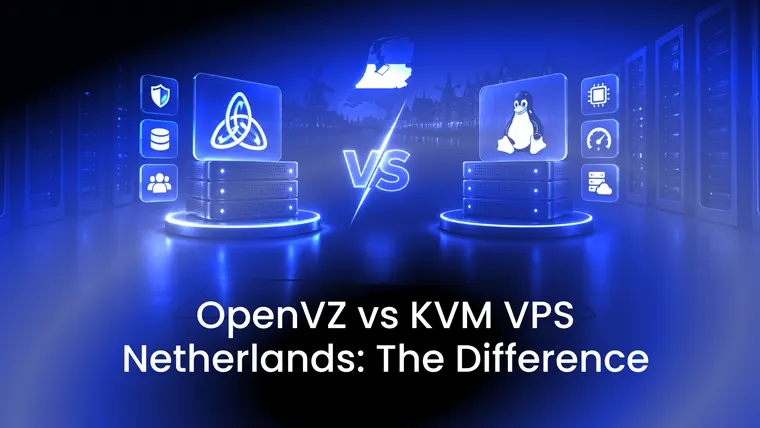
- OpenVZ runs Linux only. Storage VPS plans use OpenVZ, a container system in which every VPS runs on the host server's Linux kernel. You can't install Windows or your own kernel; for either, choose a KVM VPS.
- CPU and RAM are shared. That keeps prices low and suits backup jobs and file serving, not heavy processing. If you need cores and memory reserved for you alone, choose a hybrid server.
- Restores take time. Even at the full 1 Gbps, copying 1 TB takes more than two hours. Test a restore before you need one, so you know how long it takes.
- Offshore doesn't put data beyond the rules. Stored data must be legal and follow our Acceptable Use Policy, like everything else we host.
- A closed service takes its data with it. When a service is cancelled, its files are removed, and a service still unpaid 15 days after its invoice can be terminated and its data removed.
A simple backup plan with a storage VPS
- Size the plan with room to spare. Versioned backups keep earlier copies, so choose more space than your data takes today.
- Secure the server. Log in with SSH keys instead of a password, keep the system updated, and open only the ports you use.
- Set up encrypted, versioned backups. Point restic or BorgBackup at the storage VPS over SSH or SFTP. Store the repository password or key somewhere safe: without it, the backups can't be read.
- Schedule them. Run the backup every night with cron or a systemd timer, and decide how many daily, weekly and monthly versions to keep.
- Test a restore. Restore a few files, and once a whole folder, to check that the backups work and to see how long it takes.
- Keep a second copy. Follow the 3-2-1 rule: one more copy on other media, such as a NAS or an external disk at your office.
LyraHosting offshore storage VPS
Our offshore storage VPS plans run on OpenVZ in the Netherlands, with 250 GB to 8 TB of SAS storage, unmetered traffic on an uplink of up to 1 Gbps, an offshore IP address and standard anti-DDoS protection, from €7.99 a month. Our engineers answer support tickets 24/7/365, with a first reply within 1 hour.
Need more than 8 TB? Our dedicated storage servers offer up to 150 TB of HDD storage.